
Exploratory Testing Techniques: Mastering QA Methods for Better Software Quality

Discover powerful exploratory testing techniques and QA methods to uncover hidden bugs. Learn session-based testing, heuristics, and proven strategies for Agile teams.
Exploratory Testing Techniques: The Manual Testing Superpower You Are Not Using Enough
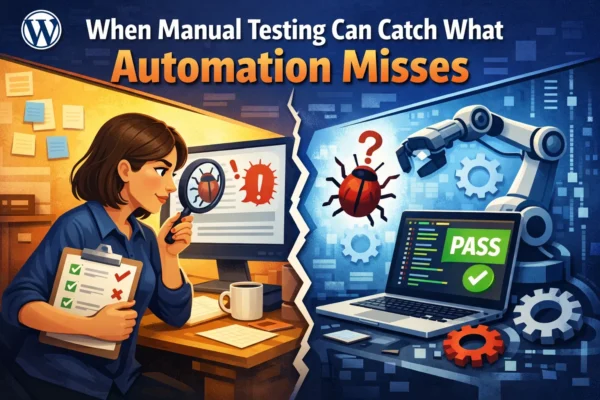
Honestly, most of us have been there: you’re following a rigid test script, checking boxes like a robot, and yet you have this nagging feeling that the real bugs are hiding just outside the lines of your spreadsheet. Scripted testing is great for monitoring known risks, but it often misses the unexpected.
In the current fast-paced world of Agile and DevOps, we need something more fluid. That’s where exploratory testing (ET) comes in. It isn’t just a “nice-to-have” technique; it’s a powerful, risk-focused approach that allows you to find the bugs that scripts simply aren’t designed to see.
What Exactly is Exploratory Testing?
Short and simple: Exploratory testing is simultaneous learning, test design, and test execution.
Unlike formal manual testing, where you follow pre-written steps to check expected functionality, exploratory testing is a “plan-as-you-test” approach. You aren’t just a passive observer; you are actively exploring the system to identify areas of risk and using what you learn in one test to inform the very next move you make.
In my experience, this mindset shift is crucial. It’s less about a thing you do and more about a way you think. You start with the things you don’t know and work to turn those “unknowns” into documented evidence to avoid unexpected failures.
Want to enhance your QA strategy? Explore our comprehensive QA services →
Why Exploratory Testing is the Secret Sauce for Agile Teams
In any software project, there are parts of the code missed by standard automation or manual scripts. Exploratory testing fills those gaps by encouraging creativity and intuition.
Here is why it matters:
- Uncovers Edge Cases: It finds the “weird” bugs – those tricky requirements missed during backlog grooming or subtle, difficult-to-reproduce issues.
- Increases Confidence: It exposes necessary design changes by identifying limitations you didn’t even know existed.
- Rapid Feedback: It’s incredibly useful for providing quick feedback on a new feature or learning a product in record time.
- Stakeholder Trust: I’ve seen teams conduct ET sessions after sprint demonstrations, allowing stakeholders to simulate real-world roles on various devices, which builds massive trust in the system.
Benefits of Exploratory Testing]
- Edge Cases → “Find weird bugs”
- Confidence →”Identify limitations”
- Rapid Feedback → “Quick insights”
- Trust → “Build stakeholder confidence”
How to Stay Structured: Session-Based Testing
“But isn’t exploratory testing just ‘random clicking’?” I hear this a lot. Honestly, that’s a myth. Professional exploratory testing is a disciplined activity. To keep it from becoming sloppy “ad hoc” work, we use a framework called Session-Based Testing.
1. The Test Charter
Every session starts with a charter – your mission statement for the next hour or two. It should be broad enough to allow exploration but specific enough to be deep. A good charter covers:
- What is being explored (e.g., the shopping cart)
- How it will be explored (the tools or techniques)
- The Goal (what information are you trying to learn?)
Example Charter:
“Explore the checkout process using various payment methods to identify edge cases related to transaction failures and currency conversion.”
2. Timeboxing
It is helpful to timebox your testing – typically sessions of 60 to 120 minutes – to reduce redundancy and maximize focus. You stop when you’re confident all identified risks are tested, or you continue if you still feel “uncertainty” in the functionality.
Exploratory Testing vs. Scripted Testing: A Quick Comparison
| Aspect | Exploratory Testing | Scripted Testing |
| Approach | Simultaneous learning & testing | Pre-defined test cases |
| Flexibility | High – adapts in real-time | Low – follows strict steps |
| Bug Discovery | Finds unexpected bugs | Finds known scenarios |
| Documentation | Session notes & findings | Detailed test cases |
| Best For | New features, edge cases | Regression, compliance |
| Tester Skill | Requires experience | Can be done by juniors |
| Time Investment | Variable, session-based | Predictable |
Putting it into Practice: Heuristics to Try Today
If you’re wondering where to start, use heuristics. These are mental shortcuts or “rules of thumb” that help you generate diverse test ideas on the fly.
Zero, One, Many
Test a grid with no records, then one record, then 5,000 records to see if the calculation or batching breaks.
Goldilocks
Use inputs that are too big, too small, and just right. For example, try entering a date 15 years in the past or a negative value in an “age” field.
Beginning, Middle, End
If the order matters, try deleting the last item in a paging grid to see if the system handles the refresh correctly.
CRUD (Create, Read, Update, Delete)
Create a document, update it, then delete it until none are left to ensure the database and UI stay in sync.
Real-World Scenario:
I once saw a tester exploring a memory-intensive photo editor. By setting the application to use only 5% of system memory and then trying to apply a “ripple” effect to a massive canvas, they crashed the entire operating system. That’s a result you’d rarely get from a standard “check if button works” script.
Need expert testers to uncover hidden bugs in your application? Our manual testing services can help →
Actionable Tips for Your Next Sprint
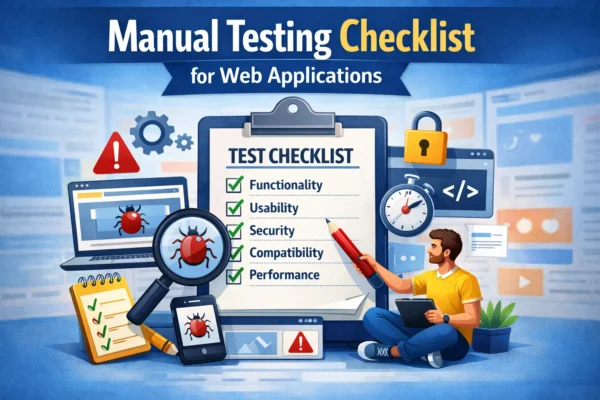
If you want to start implementing exploratory testing immediately, here is a short checklist:
- Hold a “Bug Bash”: Dedicate a block of time for the whole team (developers and stakeholders included) to explore the app before a major release.
- Pair Up: Try “pair testing” where one person “drives” the keyboard while another watches and researches questions as they arise.
- Document as You Go: Use videos, screenshots, and notes during your session so you can create formal manual test cases from your findings later.
- Track Your Time: If you’re new to timeboxing, track your estimated vs. actual time to improve your future planning.
Pro Tips from QA Experts
- Start with high-risk areas first
- Use multiple devices and browsers
- Take notes in real-time – don’t rely on memory
- Question everything – even “obvious” behavior
- Collaborate with developers during sessions
- Review your findings with the team daily
Common Exploratory Testing Techniques
| Technique | Description | When to Use |
| Tours | Guided paths through the application (e.g., User Tour, Feature Tour) | Initial exploration, onboarding |
| Personas | Testing as different user types | Understanding user experience |
| Boundary Testing | Testing at edges of valid ranges | Input validation, limits |
| Error Guessing | Using experience to predict failures | Complex systems, integrations |
| State Modeling | Exploring different system states | Workflow testing |
| Risk-Based | Focusing on high-risk areas first | Time constraints, critical features |
Integrating Exploratory Testing with Other QA Methods
Exploratory testing works best when combined with other QA methods. Here’s how to integrate it into your overall testing strategy:
With Automated Testing
Use exploratory testing to identify scenarios that should be automated. Manual exploration finds the bugs, automation prevents regression.
With Regression Testing
After finding issues through exploration, add them to your regression test suite to ensure they don’t reappear.
With User Acceptance Testing
Conduct exploratory sessions before UAT to catch obvious issues, making UAT more efficient.
With Performance Testing
Use exploratory techniques to identify performance bottlenecks in unexpected user journeys.
Looking for comprehensive QA services? We offer automation, manual testing, and more →
Overcoming Common Challenges in Exploratory Testing
Challenge: “It takes too much time”
Solution: Start small with 30-minute sessions. Focus on high-risk areas first.
Challenge: “Results are hard to document”
Solution: Use session-based testing with clear charters and structured note-taking.
Challenge: “Management wants metrics”
Solution: Track bugs found per session, session coverage, and risk areas explored.
Challenge: “Testers lack experience”
Solution: Pair junior testers with seniors, use heuristics as guides, and provide training.
Conclusion: A Martial Art for Your Mind
Exploratory testing is essentially a martial art of the mind. It’s how you deal with a product that “jumps out from the bushes” and challenges you to a duel. While scripts have their place for benchmarks and repeatability, exploratory testing is where the high-value, deep-risk discovery happens.
Don’t settle for weak tests just because they please an auditor. Embrace the unknown, use your intuition, and start exploring. Your software will be much better for it.
Key Takeaways
- Exploratory testing combines learning, test design, and execution simultaneously
- Use session-based testing to keep exploration structured and disciplined
- Apply heuristics like Zero-One-Many and Goldilocks for diverse test ideas
- Integrate exploratory testing with automation and regression testing
- Document findings in real-time for maximum value
- Start with high-risk areas and timebox your sessions (60-120 minutes)
Ready to Enhance Your Software Quality?
Let our expert QA team help you implement exploratory testing and other proven QA methods. We specialize in manual testing, automation, and comprehensive quality assurance services.
Get Started with Professional QA Services
Or explore our full range of QA services: https://www.qaandcode.com/services/
Related Resources
- Our Manual Testing Services
- Automation Testing Solutions
- QA Consulting Services
- Contact Our QA Experts
About QA and Code
At QA and Code, we provide comprehensive quality assurance services including manual testing, test automation, performance testing, and QA consulting. Our team of experienced QA engineers helps companies deliver high-quality software through proven testing methodologies and best practices.